
How to Prepare Photos for Virtual Staging
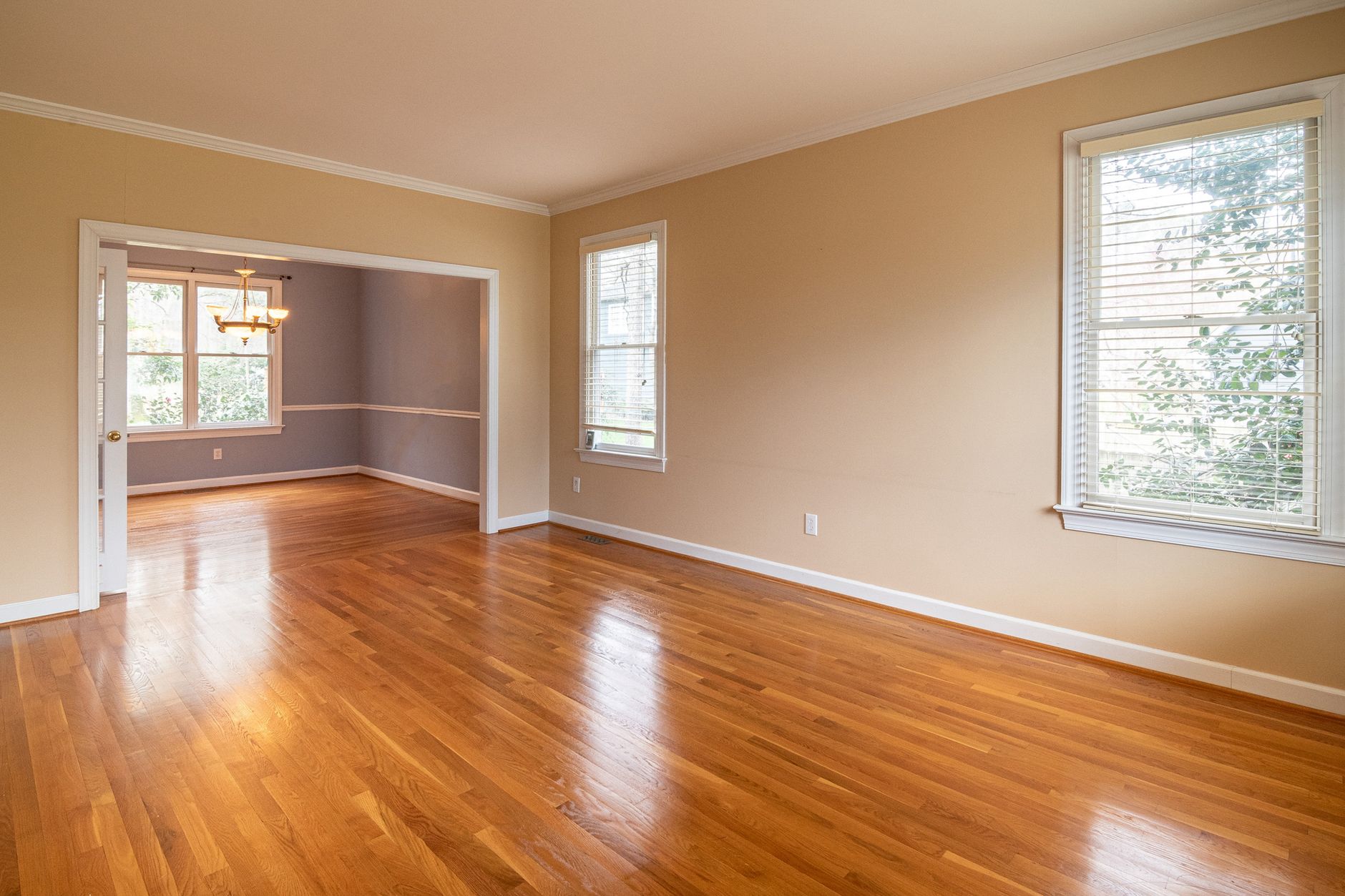
An empty room rarely photographs well. Buyers struggle to judge scale, and a bare floor with bad lighting makes even a good layout look like storage space. Virtual staging fixes the second problem, not the first: the AI works from the photo you give it, so a dark, crooked or cluttered shot will still look dark, crooked or cluttered once it is furnished. Getting the photo right before you stage anything is the part that actually determines whether the listing works.
Why the Photo You Upload Decides the Result
Virtual staging keeps the room's real perspective, light and architecture, and only changes furniture and finishes. That is the whole point: a buyer should see their own future living room, not a fantasy. It also means the tool cannot fix a photo that is badly lit or taken from a bad angle. If you plan to try the free virtual staging tool, spend five extra minutes on the photo first. It is the cheapest upgrade available to you, and it costs nothing.
Step by Step: Getting an Empty Room Ready to Shoot
You can do all of this today, with a phone, before you touch any software:
- Clear the room. Remove leftover boxes, cables, cleaning equipment and anything the next owner will never see again.
- Balance the light. Open curtains and blinds, and turn on every ceiling light, even in daylight. Mixed light reads better than one dim corner.
- Shoot from a corner, at chest height. This shows the full room instead of a narrow slice of it, and it is how most staged interiors are framed.
- Keep vertical lines straight. Tilt the phone up or down and walls lean; keep it level and door frames stay square.
- Use the highest resolution your phone offers. Virtual staging works from pixels that already exist. It cannot invent detail a blurry photo does not have.
- Take two or three angles per room. Pick the best one afterward rather than staging the only shot you have.
Virtual Staging or Physical Staging: Which One Fits This Listing
The two are not interchangeable, and conflating them leads to disappointed sellers. Physical home staging moves real furniture into the property; virtual staging furnishes the photo digitally. Cost, effort and what a visitor actually experiences in person differ a lot between the two.
| Virtual staging | Physical staging | |
|---|---|---|
| Cost type | Recurring: plans published on aicasadesign.com start from $42/month and can change | One-off: typically $2,000 to $8,000 per property for rental, delivery and setup |
| Time to ready | About 30 seconds per photo | Days to source and install furniture |
| What changes | Furniture and finishes in the image only; the room itself is untouched | Real furniture, physically present in the room |
| Good for | Online listing photos, testing styles before a shoot | In-person showings, open houses, buyers who want to walk through furnished rooms |
Many agents use both: virtual staging to get the listing live today, physical staging later if the property needs showings before it sells.
Publishing the Images Correctly
A staged photo is a marketing image, not documentation of the property's current state, and it should be labelled as such in the listing, for example as "virtually staged". That is standard practice on most portals and it protects you as much as the buyer: nobody wants to walk into an empty room expecting the sofa from the photo. Whether and how this is required varies by portal and by country, and rules around property advertising and disclosure should always be checked locally rather than assumed. If you also generate the listing description for the same property, keep the wording consistent: a text that promises a furnished space next to a disclosed virtual render reads as careless rather than deceptive, but it still looks bad.
Common Mistakes That Waste a Good Staging
- Uploading a photo so dark or blurry that no style choice can rescue it
- Staging the one angle that hides a structural issue, rather than the one that shows the room honestly
- Forgetting to label the image as virtually staged before it reaches the portal
- Staging every room in the same style regardless of who is likely to buy the property
- Publishing staged photos alone, with no video or floor plan to back them up
On that last point: a short AI real estate video made from the same staged photos, or a 2D to 3D floor plan alongside them, gives a buyer more to click through, which is the actual goal. None of this changes what the property is worth. It changes how many people open the listing in the first place, and a well-prepared photo is where that starts.
If you want to see what your own empty rooms look like furnished, AI Casa Design lets you try two staging transformations free before you decide whether it is worth adding to your workflow.
Frequently asked questions
Does the photo quality really affect virtual staging results?
Yes. Virtual staging keeps the room's existing perspective, light and architecture and only changes furniture and finishes, so a dark, blurry or crooked photo will still be dark, blurry or crooked once staged. Taking a few minutes to light the room and shoot it straight on, at chest height, makes a noticeably bigger difference than the choice of style.
Is virtual staging cheaper than physical home staging?
Generally yes. Physical staging typically costs between $2,000 and $8,000 per property for furniture rental, delivery and setup, while virtual staging runs on monthly plans published on aicasadesign.com starting around $42 a month, which cover many photos rather than one property at a time. They solve different problems though: physical staging furniture is actually in the room for in-person showings, virtual staging only changes the image.
Do I need to disclose that a photo was virtually staged?
In most cases yes, and it is considered good practice across real estate portals to label an image as virtually staged. Exact disclosure rules vary by portal and by country, so check what your local portal and property advertising rules require rather than assuming it works the same way everywhere.
Can I stage a room that still has furniture in it, not just an empty one?
Virtual staging tools are generally built for empty or near-empty rooms, since they add furniture into the space. For a room that is already furnished but needs decluttering or a style refresh, a home staging tool designed for occupied homes is the better fit, since it works with the existing furniture rather than adding new pieces on top of it.


